Audi A3 (8V) – Exhaust valves / flaps always open (Coding)
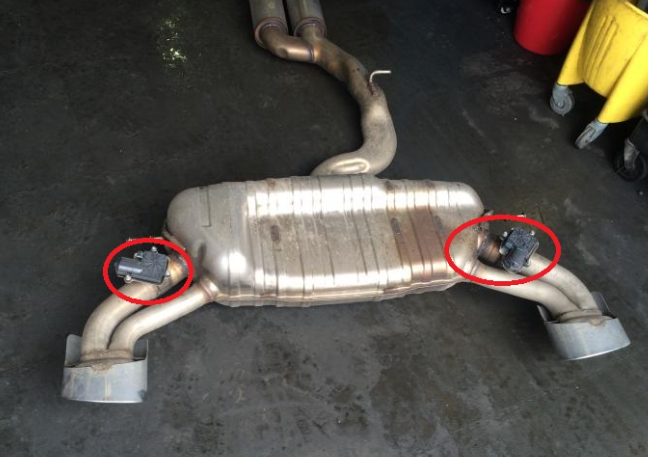
Purpose: Allows to disable exhaust valves/flaps in the always open position. (Exhaust Flap open delete)
(For Audi S3 only / for Audi RS3 valve control in engine mapping )
(This coding makes the car believe that there is no valve installed, before disabling them, put the car in “Dynamic” mode or the “S” mode of the S-tronic and go check that the valves are open)
If this doesn’t work, you can always unplug the valves, remove their connectors (when they are open)
If you have changed your exhaust line for one without a flap or with a flap via a system other than the original, it is necessary to deactivate the flaps otherwise you will have an engine fault valve hs (without warning light)
Proceed:
1 – Engine off, ignition off, connect your official VAG-COM VCDS cable to the computer then connect the other end to the diagnostic socket of your vehicle.
2 – Switch on the ignition then launch the VCDS program.
Line 1:
3 – Click on ” Select ” then click on ” 01 – Engine “.
4 – Click on ” Coding – 07 ” then click on ” Long Coding Wizard “.
5 – Choose byte ” 9 ”
Then uncheck Bit ” 2 ” : ” Exhaust Flaps installed ”