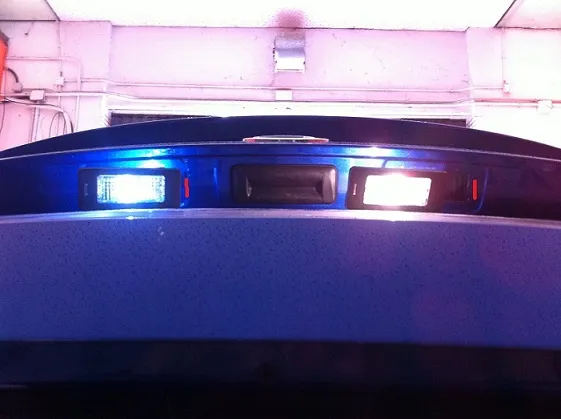
Audi A3 (8V) – Remove LED license plate bulb error (Coding)
Purpose: Allows you to remove the ODB error after installing the LED license plate lights.
Warning!! There are 2 coding lines to do here.
Proceed:
1 – Engine off, ignition off, connect your official VAG-COM VCDS cable to
the computer then connect the other end to the diagnostic socket of your vehicle.
2 – Switch on the ignition then launch the VCDS program.
Line 1:
3 – Click on ” Select ” then click on ” 09 – Central Electrics “.
4 – Click on ” Security Access – 16 ” then enter the code ” 31347 ”
5 – Click on ” Adaptation – 10 “.
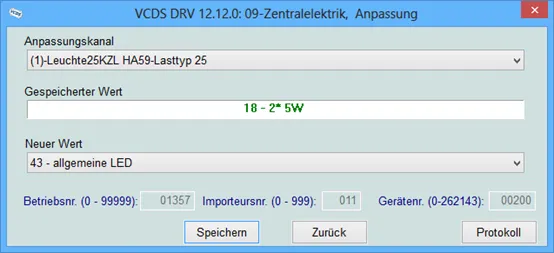
6 – On this page, at the very top, there is a drop-down menu.
In this drop-down menu, choose ” Leuchte 25KZL HA59-Lasttyp 25 ”
7 – On this same page, there is a second drop-down menu but towards the bottom
of the page.
On the latter, choose “ 43 – general LED ” then validate.
Line 2:
3 – Click on “ Select ” then click on “ 09 – Power Station ”.
4 – Click on “ Security Access – 16 ” then type the code “ 31347 ”
5 – Click on “ Adaptation – 10 ”.
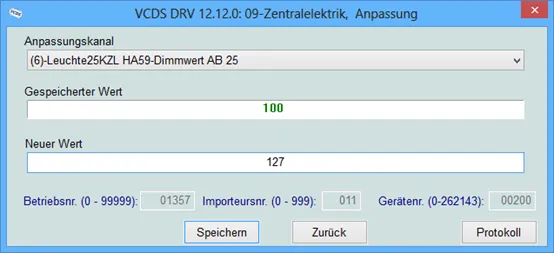
6 – On this page, at the very top, there is a drop-down menu.
In this drop-down menu, choose “ Leuchte25KZL HA59-Dimmwert AB 25″
7 – On this same page, there is a second drop-down menu but towards the bottom
of the page .
On the latter, choose “ 127 ” then validate.